The Ultimate Guide to Digital Floral Wreaths: Your Creative Toolkit
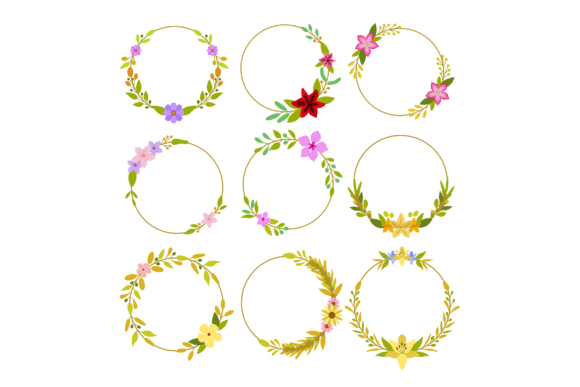
When it comes to adding elegant, botanical charm to a project, digital assets are a game-changer. This is where the Floral Wreath Collection truly shines. It’s not just a set of pretty images; it’s a versatile, professional-grade toolkit designed for creators, crafters, and designers who need flexibility and high quality. The collection, typically packaged in a convenient ZIP file, includes multiple file formats: one EPS file, one SVG file, and nine PNG files with transparent backgrounds. Each format serves a distinct purpose, unlocking different creative possibilities. Understanding what you’re working with is the first step to leveraging these assets effectively.
Breaking Down the File Formats: More Than Just Pictures
Every file in the Floral Wreath Collection is created for a specific technical need. Let’s explore what each format offers.
The Power of Editable Vector Files: EPS and SVG
The inclusion of one EPS and one SVG file is the cornerstone of this collection’s versatility. These are vector graphics. Unlike a photograph made of pixels, vector images are built from mathematical paths and points. This means they can be scaled to any size—from a tiny logo on a business card to a massive banner—without any loss of quality or sharpness. The "editable" part is crucial. You can open these files in software like Adobe Illustrator, CorelDRAW, or free alternatives like Inkscape and modify everything. Change the color of a rose from pink to crimson, remove a leaf, rearrange the branches, or separate individual elements from the wreath itself. This level of control is indispensable for branding projects where you need to perfectly match a company’s color palette or create multiple derivative designs.
The Convenience of Ready-to-Use PNGs
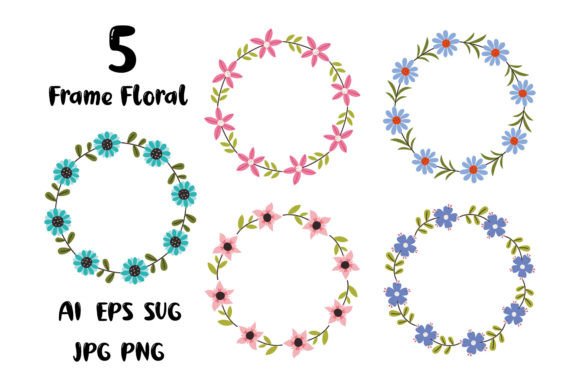
The nine PNG files offer immediate, hassle-free utility. PNGs are raster images (pixel-based), but their key feature here is the transparent background. There’s no white rectangle behind the wreath; it’s just the floral design itself. This allows you to drag and drop the wreath onto any digital backdrop instantly—a website header, a social media post, a digital invitation. You don’t need specialized software; you can use basic image editors, presentation tools like PowerPoint, or even website builders. The multiple PNGs likely provide variations: perhaps different color schemes, sizes, or compositional densities, giving you quick options without any editing work.
Where Digital Floral Wreaths Transform Projects
The applications for a collection like this are vast, crossing over numerous modern creative and professional fields.
Graphic Design and Branding: Here, the vector files are king. Designers can incorporate a wreath from the Floral Wreath Collection into a logo for a boutique, a wellness center, or a wedding planner. Its editable nature lets it become a unique, tailored brand element. It can frame text on a website, create elegant patterns for packaging, or serve as a recurring motif across a client’s entire visual identity.
Digital Publishing and Marketing: The PNGs are perfect for creating beautiful, eye-catching content quickly. Bloggers can use them to decorate post headers. Marketers can integrate them into email campaign graphics, online advertisements, or downloadable lead magnets like e-books. The transparent background makes compositing with other visuals seamless.
Personal Crafts and DIY: The rise of home crafting machines like Cricut or Silhouette brings the SVG file into focus. This format is directly compatible with these cutting machines. You can use the editable SVG wreath to create physical items: vinyl decals for windows, intricate paper cutouts for scrapbooking, or stencils for fabric painting. It bridges the gap between digital design and tangible art.
Website and UI Design: Web designers can use the SVG file directly in code. SVG is web-friendly, scales perfectly on responsive sites, and often results in smaller file sizes than PNGs for complex graphics, improving load times. A wreath can be an interactive element, perhaps changing color on hover, thanks to its editable vector structure.
Key Considerations Before Using Your Floral Wreath Collection
To get the best results, a little forethought goes a long way.
- Software Compatibility: Ensure you have the right tools. To edit the EPS or SVG, you need vector software. For PNGs, almost any program will work. Check your version of software supports the file formats.
- Project Scale and Output: Are you designing something for print at a large size? Use the vector EPS or SVG. Is it for a one-time social media graphic? A high-resolution PNG might be faster.
- Color Customization Needs: If you know you’ll need to match specific colors, the editable vector files are your only option. PNGs come with predetermined colors.
- Skill Level: Jumping into a vector editor can have a learning curve. If you’re a beginner, starting with the PNGs is a practical way to achieve beautiful results immediately while you learn the vector tools.
- Licensing and Usage: Always verify the license terms of the collection. Most such collections are for personal and commercial use, but it’s good practice to confirm, especially for high-visibility commercial branding.
Integrating the Collection into a Modern Workflow
Think of the ZIP file containing the Floral Wreath Collection as your digital asset library. A good practice is to extract and organize these files immediately. Create a dedicated folder on your computer or cloud storage. Label the files clearly—you might rename the PNGs based on their color or style (e.g., “Wreath_FullBloom_Pink.png”).
In a typical workflow, you might start a project by opening the SVG file in your vector editor to make broad customizations: adjusting the size, simplifying the design for a logo, or extracting a single flower. Once you have your custom version, you can export it to a PNG at the exact dimensions needed for your web graphic or save the modified SVG for your cutting machine. The nine pre-made PNGs act as your rapid prototype library, letting you mock up ideas in minutes before committing to deeper edits.
This blend of ready-to-use and fully customizable assets supports both speed and creativity. It allows a freelance designer to respond to a client’s urgent request with a polished PNG mock-up, then develop the final, branded vector asset the next day. It lets a hobbyist craft a unique wedding invitation suite without needing to draw the floral elements from scratch.
Making the Choice: Why a Multi-Format Collection Wins
Choosing a collection that offers multiple file formats, like this one, is almost always more advantageous than sourcing single images. It prepares you for unknown future projects. Today you might need a PNG for a Facebook post, but next month you might be asked to design a billboard. Having the EPS file means you’re already prepared. It’s an investment in creative agility. The Floral Wreath Collection, with its thoughtful combination of EPS, SVG, and PNGs, isn’t just supplying a graphic; it’s supplying a spectrum of solutions, ensuring that no matter where your creative journey or professional demand takes you, you have the right technical tool to bring your vision—framed by beautiful florals—to life.